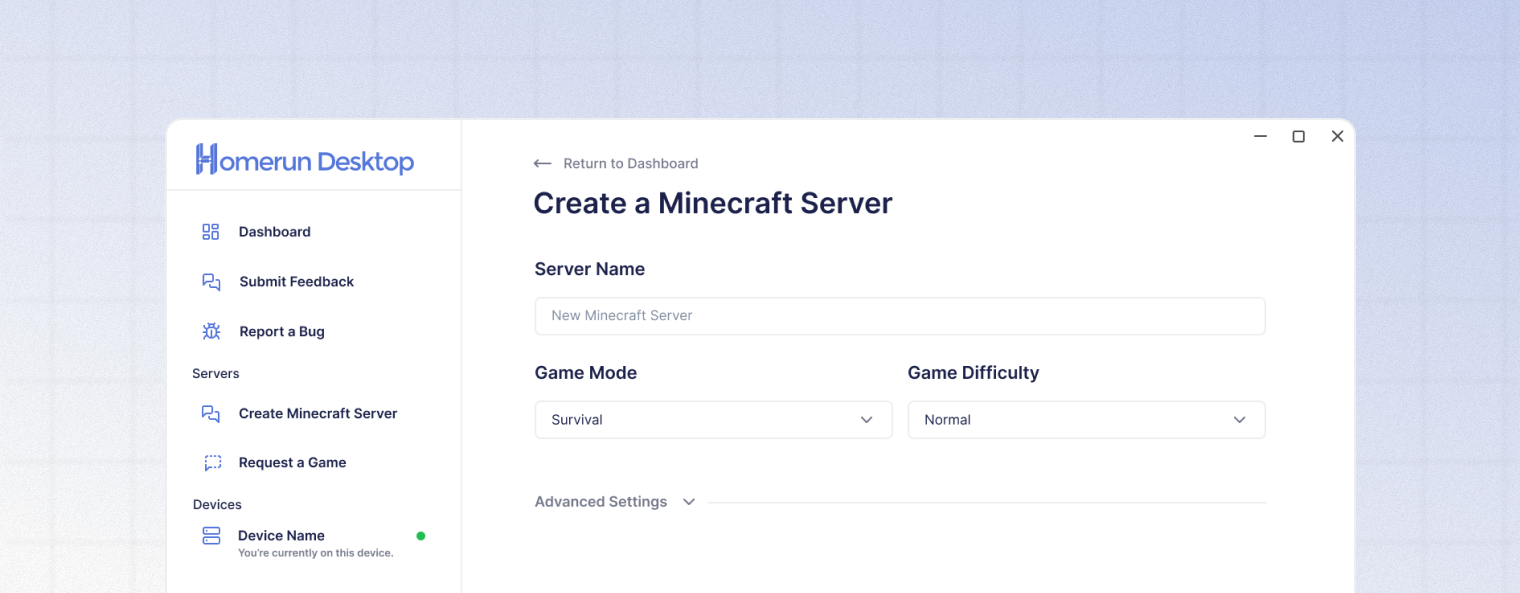
| Minecraft Version | Choose which version of Minecraft Java Edition you would like for your server to use. The latest release will always be the default option. | |
| Max Players | Set the maximum number of players that can join your server simultaneously. Options: 10, 20, 50, or 100 players. | |
| World Seed | Enter a seed for a specific world generation. If blank, a random world will be generated. | |
| Game Difficulty | Choose peaceful, easy, normal, or hard Minecraft difficulties. | |
| Render Distance | Set how many chunks are sent to players. Options: 8, 12, 16, or 24 chunks. Higher values require more bandwidth and client resources. | |
| Simulation Distance | Set how far from players the game will simulate entities and redstone. Options: 4, 6, 8, 10, or 12 chunks. Lower values reduce server load. | |
| Enable Command Blocks | Allow the use of command blocks on your Minecraft server. | |
| Anyone Can Stop Server | Allow any invited Homerun Desktop co-host to stop the server, regardless of if they are the current host or not. | |