pen-rulerCreating a Bedrock Minecraft server

Bedrock Minecraft server creation

Creating a server with Homerun Desktop requires no input or settings changes.

1

Begin server creation

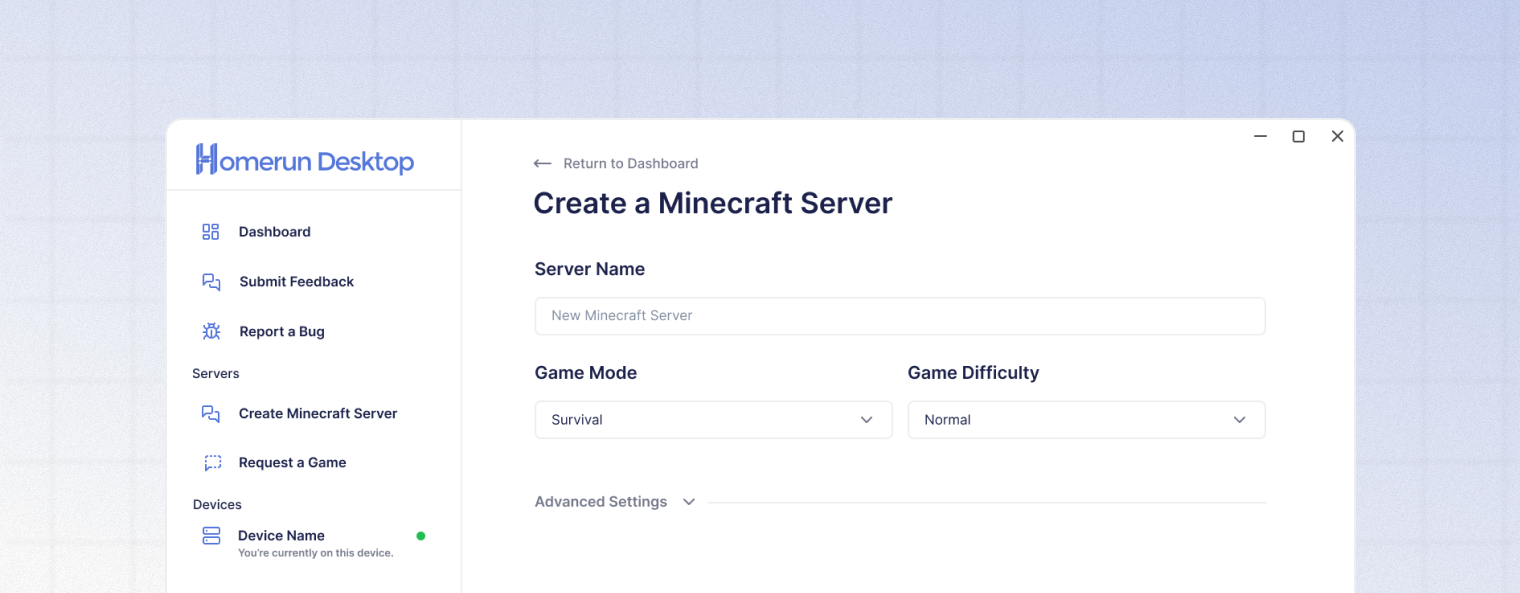
Click either the "Add a server +" button on the Dashboard or the "Create Minecraft Server" button on the sidebar to open the server creation wizard.

2

Select the "Bedrock" option

Enter a server name or use the default "New Minecraft Server"

3

Configure your server (Optional)

Enter a server name, select a game mode, choose a game difficulty, or click continue to use the default options.

Advanced settings, such as game version, world import, max players, and more are available by clicking the Advanced Settings button.

4

Invite additional hosts (Optional)

Enter the email addresses of any friends you wish to invite as Homerun Desktop hosts. The invited users will be able to run the server from their PC when it is offline.

5

Finish server creation

Click the "Create Server →" button at the bottom of the window to finish creating your server and begin playing Minecraft Java Edition.

Advanced settings

Setting
Description

Game Mode

Choose survival, creative, or adventure game modes for your Bedrock server.

Max Players

Set the maximum number of players that can join your server simultaneously. Options: 5, 10, 20, 30, or 50 players.

Level Seed

Enter a seed for a specific world generation. If blank, a random world will be generated.

Game Difficulty

Choose peaceful, easy, normal, or hard Minecraft difficulties.

View Distance

Set how many chunks are visible to players. Options: 16, 24, 32 (Default), 48, or 64 chunks. Higher values require more bandwidth.

Tick Distance

Set how far from players the game will process entities and redstone. Options: 4 (Default), 6, 8, or 12 chunks. Lower values reduce server load.

Allow Cheats

Enable commands and cheats for all OP players on the server.

Online Mode

Require authentication with Xbox Live. Disable only for LAN or testing.

Anyone Can Stop Server

Allow any invited Homerun Desktop co-host to stop the server, regardless of if they are the current host or not.

Last updated